
Uncategorized

Uncategorized

Image Optimization: A Complete Guide to Better SEO and Website Performance

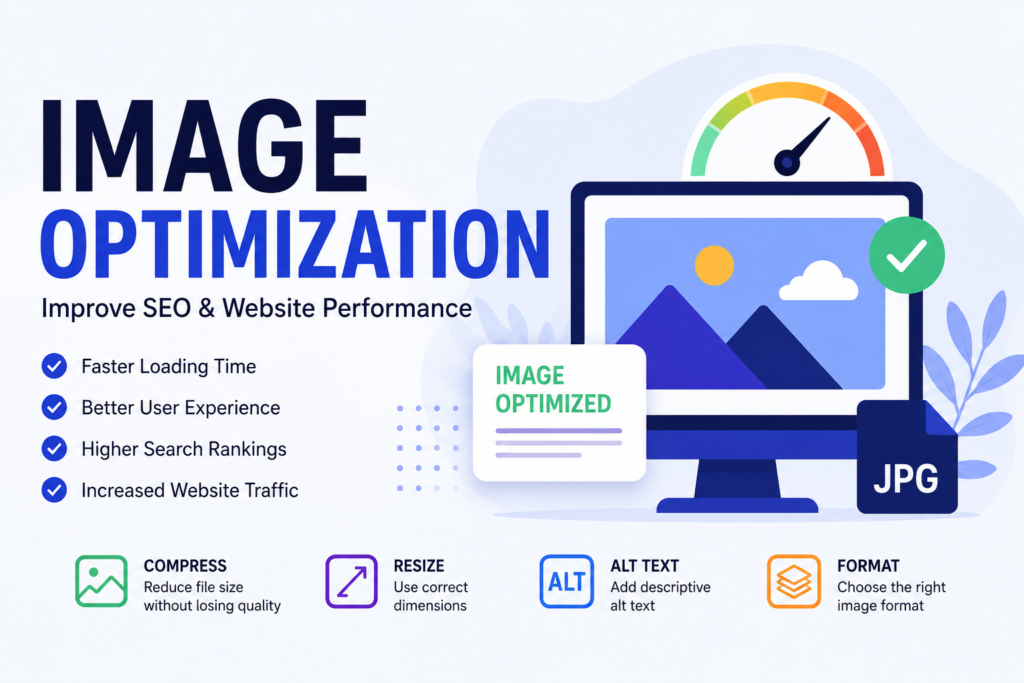
Image Optimization: A Complete Guide to Better SEO and Website Performance Images are an important part of modern websites. They make web pages more attractive, communicate information quickly, and improve the overall user experience. However, large or poorly optimized images can slow down a website and negatively affect its performance. This is why image optimization is an important part of SEO and website management. What Is Image Optimization? Image optimization is the process of reducing image file size while maintaining good visual quality. It involves choosing the right image format, resizing images, compressing files, and adding descriptive alternative text. Optimized images can help websites load faster and provide a better experience for visitors, especially users browsing on mobile devices or slower internet connections. Why Is Image Optimization Important? Website speed is an important part of providing a good user experience. Large image files can increase page loading time, which may cause visitors to leave a website before the page finishes loading. Optimizing images helps reduce unnecessary file size and can improve page performance. Faster-loading pages can make it easier for visitors to browse content, interact with pages, and find the information they need. Image optimization is also useful for SEO because properly optimized images can help search engines understand the visual content on a webpage. Choose the Right Image Format Different image formats are suitable for different purposes. JPEG is commonly used for photographs, while PNG can be useful when transparency or high-quality graphics are required. Modern formats such as WebP and AVIF can provide efficient image compression and smaller file sizes while maintaining good quality. Choosing an appropriate format can therefore help reduce the amount of data that browsers need to download. Resize Images Before Uploading One common mistake is uploading very large images and displaying them at a much smaller size on a website. For example, an image that is 4000 pixels wide may not need to be uploaded if it will only be displayed at 1000 pixels wide. Resizing images before uploading them can significantly reduce file size. Website owners should choose image dimensions according to how the image will actually appear on the page. Compress Images Image compression reduces the amount of data stored in an image. There are two common approaches: lossless and lossy compression. Lossless compression reduces file size without removing image information, while lossy compression removes some information to achieve a smaller file size. The right choice depends on the type of image and the required quality. The goal is to find a balance between image quality and file size. Add Descriptive Alt Text Alt text, or alternative text, describes an image for users who cannot see it. It can also help search engines understand what the image represents. For example, instead of using an alt text such as “image123,” a business website could use a descriptive phrase such as “digital marketing strategy planning on laptop.” Alt text should be relevant, descriptive, and natural. It should not be filled with unnecessary keywords. Use Meaningful File Names Before uploading an image, give it a descriptive file name. Instead of using a file name such as “IMG_4587.jpg,” use something relevant such as “image-optimization-seo.jpg.” A meaningful file name provides additional context about the image and makes media files easier to organize. Optimize Featured Images A featured image is often displayed on blog pages and can also be used when content is shared on social media. Using a properly sized and compressed featured image can help maintain good page performance. WordPress recommends using a unique featured image and relevant alt text as part of its content and SEO standards. A 1200 × 628 pixel image is suggested by WordPress for featured images used with Open Graph sharing. Conclusion Image optimization is a simple but important part of SEO and website performance. By resizing images, choosing suitable formats, compressing files, using descriptive file names, and adding useful alt text, website owners can create faster and more user-friendly pages. For anyone learning digital marketing and SEO, understanding image optimization is an important skill. If you want to learn more about digital marketing, SEO, and building an effective online presence, visit Anagha K K at https://anaghakk.com/. A well-optimized website combines quality content with optimized images and a good user experience. By making image optimization part of your regular SEO strategy, you can improve website performance while making your content more accessible and useful to visitors.


Uncategorized

What is Search Engine Optimization (SEO) and Why is it Important?

Introduction In today’s digital world, having a website is not enough. Businesses need to ensure that their websites are visible to potential customers when they search online. This is where Search Engine Optimization (SEO) plays a vital role. SEO is one of the most effective digital marketing strategies that helps websites rank higher on search engines such as Google, Bing, and Yahoo. A well-optimized website can attract more visitors, increase brand awareness, and generate quality leads. What is SEO? Search Engine Optimization (SEO) is the process of improving a website’s visibility in search engine results pages (SERPs). It involves optimizing website content, structure, keywords, and technical elements to help search engines understand and rank the website more effectively. The main goal of SEO is to increase organic traffic, which means attracting visitors naturally without paying for advertisements. Why is SEO Important? 1. Increases Website Visibility Millions of people use search engines every day to find information, products, and services. SEO helps your website appear in relevant search results, making it easier for potential customers to discover your business. 2. Drives Organic Traffic Unlike paid advertising, SEO brings visitors to your website without ongoing advertising costs. Higher rankings lead to increased website traffic and better opportunities for conversions. 3. Builds Credibility and Trust Websites that rank on the first page of Google are often viewed as more trustworthy and reliable. Effective SEO helps establish authority and credibility in your industry. 4. Improves User Experience SEO is not only about search engines; it also focuses on improving the user experience. Fast-loading pages, mobile-friendly designs, and easy navigation contribute to better rankings and customer satisfaction. 5. Generates Quality Leads SEO attracts users who are actively searching for products or services related to your business. This results in higher-quality traffic and improved conversion rates. Types of SEO On-Page SEO On-page SEO involves optimizing elements within your website, including: Off-Page SEO Off-page SEO focuses on activities outside your website that improve authority and rankings, such as: Technical SEO Technical SEO ensures that search engines can effectively crawl and index your website. It includes: Benefits of SEO for Businesses Best SEO Practices To achieve successful SEO results, businesses should: The Future of SEO SEO continues to evolve as search engines become smarter. Artificial Intelligence (AI), voice search, mobile-first indexing, and user experience signals are becoming increasingly important. Businesses that adapt to these changes will remain competitive in the digital marketplace. Conclusion Search Engine Optimization (SEO) is an essential part of digital marketing that helps businesses improve online visibility, attract targeted traffic, and achieve sustainable growth. By implementing effective SEO strategies, businesses can increase their chances of reaching potential customers, building trust, and staying ahead of competitors. Investing in SEO is not just about ranking higher on search engines—it is about creating a better online experience for users and ensuring long-term success in the digital world.

Uncategorized

Digital Marketing: The Key to Modern Business Growth

Introduction In today’s digital world, businesses need more than traditional marketing methods to reach their target audience. Digital Marketing helps brands connect with customers through online platforms, increase visibility, and drive business growth. From social media campaigns to search engine optimization, digital marketing has become an essential part of every successful business strategy. Why Digital Marketing is Important Digital marketing allows businesses to reach a larger audience at a lower cost compared to traditional advertising. It helps brands build trust, engage with customers, and measure campaign performance in real time. Whether you are a small business or a large company, digital marketing provides opportunities to grow and compete effectively in the market. Key Areas of Digital Marketing Search Engine Optimization (SEO) SEO helps websites rank higher on search engines like Google, making it easier for potential customers to find your business. Social Media Marketing Platforms such as Instagram, Facebook, and LinkedIn help businesses connect with their audience, build brand awareness, and generate leads. Content Marketing Creating valuable and informative content helps attract, engage, and retain customers while establishing brand authority. Email Marketing Email campaigns are an effective way to communicate with customers, share updates, and promote products or services. Conclusion Digital marketing is no longer an option—it is a necessity for businesses looking to grow in the modern marketplace. By using the right digital marketing strategies, brands can increase visibility, build stronger customer relationships, and achieve long-term success. Featured Image Idea

Scroll to Top